Making your own ultimate team card used to mean Photoshop templates and font hunting. With a card creator app you can go from idea to a finished, share-ready card in a few minutes. Here's the exact process in FUT Cards, free on iOS and Android.
Step 1: Choose your card design
Open Create Card and tap the design selector. You'll see tabs for FC 26, FC 25 and FC 24, each packed with that season's designs — base golds through to TOTY, TOTS and Heroes. The design drives the whole look: pick a gold rare for a classic feel, or a promo design for something loud. See every card type explained if you're not sure which fits.
Step 2: Add your player
Tap the player area and either search the built-in database — Mbappé, Messi, Haaland, women's stars and legends — or upload your own photo from camera or gallery. If you upload, the app offers AI background removal: accept it and your cutout blends into the card design like a real player render.
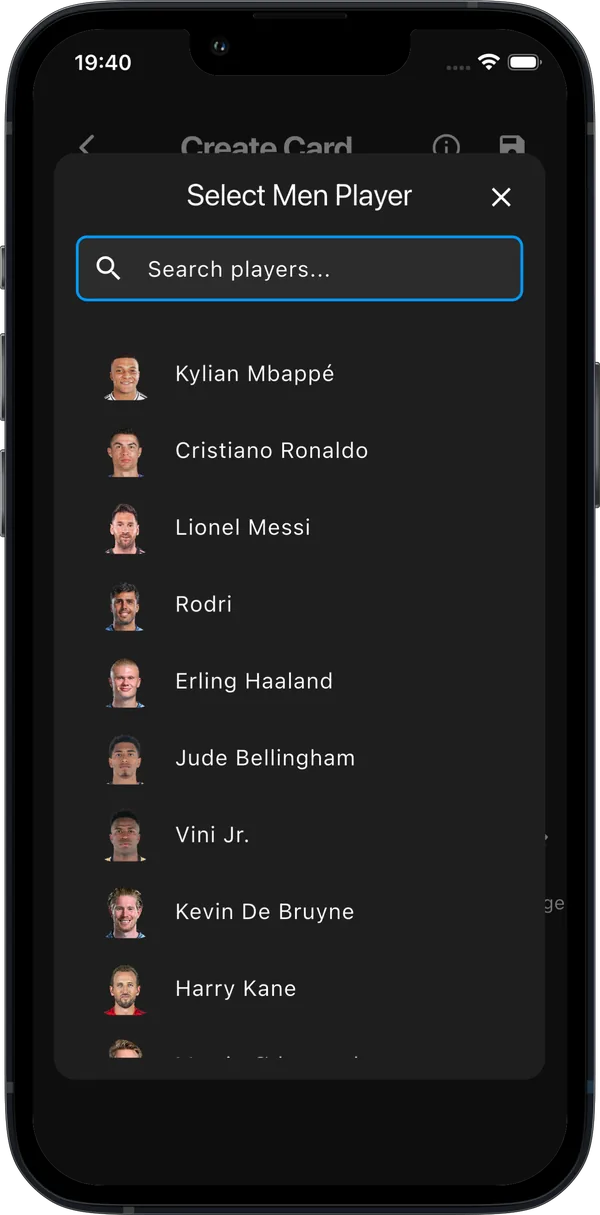
Step 3: Set rating, position and stats
Tap any number on the card to edit it: overall rating, position (plus up to three alternative positions), and the six face stats — PAC, SHO, PAS, DRI, DEF, PHY. Add skill moves and weak foot stars, preferred foot, playstyles and a chemistry style. Realism tip: big ratings feel earned when the face stats justify them — a 91 with 88 pace reads more real than six 99s.
Step 4: Badges and colours
Set the nation flag, league logo and club badge from the built-in libraries. Then check readability: the text and badge colour controls let you flip between dark and light text so your name and stats stay crisp on any design.
Step 5: Save and export
Hit save — the card lands in your collection and exports as a high-quality image. From there: group chat, social media, or straight into the squad builder.
Frequently asked
Can I make a card of myself?
Yes — that's the most popular use. Full guide here.
Can I remake my card later?
Yes, saved cards can be reopened and edited any time.
Make your card free
300+ card designs, real players, your own photo — no account needed.