The best custom card is the one with you on it. FUT Cards makes it genuinely easy: upload a photo, let the built-in AI cut you out, and you're on a gold rare — or a TOTY, if you're feeling generous about your season. Here's how to get a result that looks official.
How it works
When you add a player photo from your camera or gallery, FUT Cards asks if you want to remove the background. Say yes and the AI isolates the person and drops the clean cutout onto the card design — no manual tracing, no green screen.
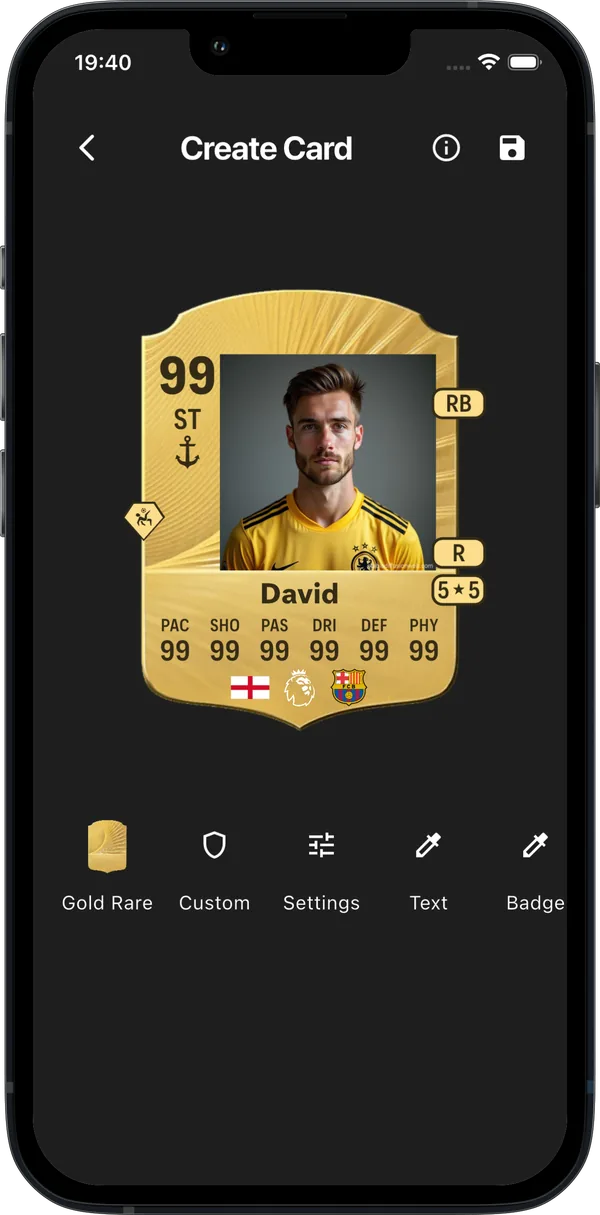
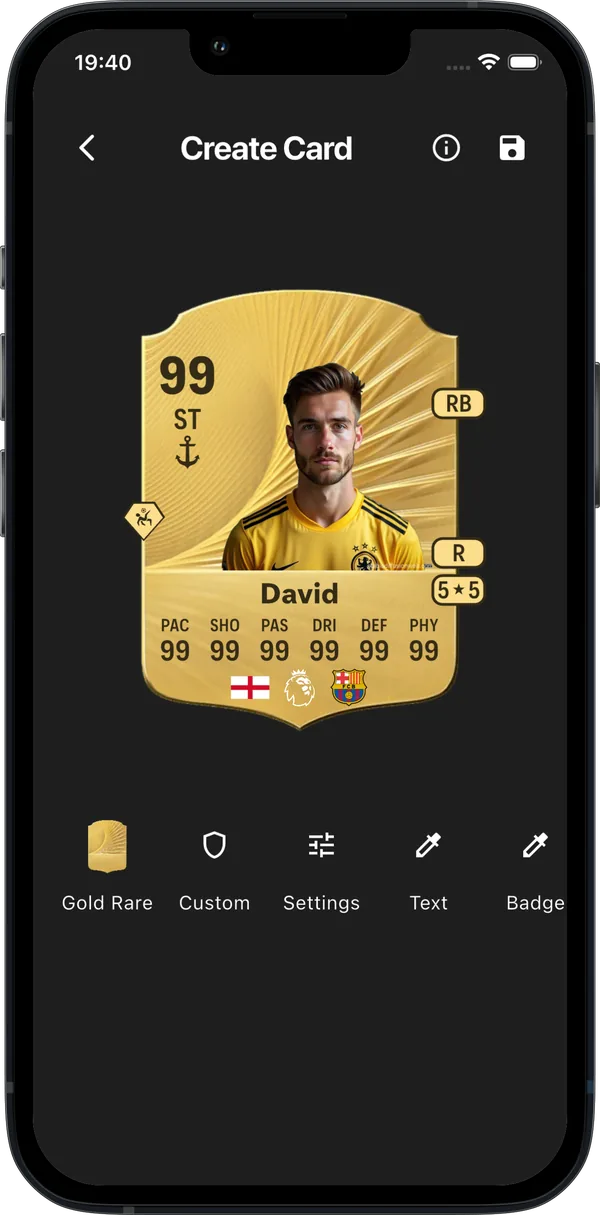
Getting a clean cutout
- Face the camera, chest-up. Official card renders are shot from mid-torso up — matching that framing instantly reads "real card".
- Plain-ish background helps. The AI handles busy scenes, but a wall or sky behind you gives the crispest edges.
- Good light, no heavy shadows. Even lighting keeps hair and shoulders clean after the cutout.
- Wear a kit if you have one. A football shirt sells the effect more than anything else.
Position and scale
After the cutout, drag your photo to sit right in the card's frame and pinch to scale. Aim for your head just below the top edge of the image area — the same crop the real cards use. Then set your name, a big rating, and your actual five-a-side stats (be honest — 34 pace is nothing to be ashamed of).
Great uses for a face card
- Birthday cards for football-mad friends — a 99-rated card of them beats any greeting card.
- Grassroots awards — player of the season, top scorer, most improved.
- Squad content — make one for every player on your Sunday league team, then build the full squad.
Frequently asked
Does background removal cost anything?
No — it's built into the free app.
Can I skip the background removal?
Yes, you can keep the full photo in a framed layout instead — some people prefer the polaroid look.
Make your card free
300+ card designs, real players, your own photo — no account needed.